
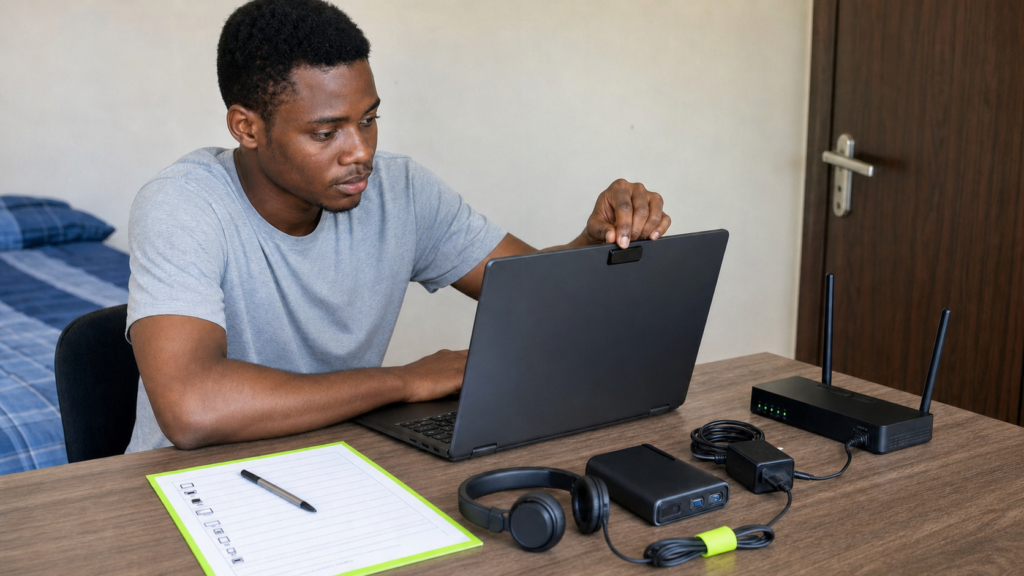
You can know every answer and still lose your admission because your laptop, webcam or internet failed before question one.
That is not an exaggeration. The University of Lagos released its 2026 instructions on 21 July, just days before the test begins. Candidates must use a supported computer, allow webcam and microphone access, install the Safe Examination Browser, and complete the mock test before the real examination.
If your school is running a remote test, your preparation now has two parts. You must know the answers, and your device must be ready to carry you into the exam. This Post UTME 2026 online exam checklist helps you sort out both without last-minute panic.
Why this matters right now
UNILAG has scheduled its Post UTME 2026 online exam for 27 to 31 July. The university says the mock examination is compulsory and remains available until 11:59pm on 25 July. It also warns that changing your laptop, internet connection or exam environment after the mock can cause fresh problems on the real day.
Other schools use different screening methods, so your own university instruction is the final word. Some run physical computer-based tests. Some assess your JAMB and O level results without an exam. A few now use online monitoring. Abeg, do not prepare from a WhatsApp voice note when your school has published the real rules.
For the subject side of the exam, start with our full Post UTME 2026 preparation guide. This article deals with the technical side that many strong candidates ignore.
Start with the official instructions
Go to your university website and find the Post UTME page yourself. Confirm the date, time, login address, approved device, required software, identification rules and support contacts. Read the page twice. Then save a copy on your phone and laptop.
The official UNILAG instruction page is a good example of the detail you should look for. It explains the operating system, camera and microphone rules, mock test, room conduct, dress expectations and technical support. Your school may ask for something different, so do not copy another candidate’s setup blindly.
Use the right computer and software
For UNILAG, the Safe Examination Browser works only on Windows 10 or a newer version, or macOS Ventura or a newer version. A phone, tablet, Chromebook or old laptop will not carry you into this Post UTME 2026 online exam. Check your system today, not on Sunday night.
Plug in the laptop and make sure the battery can still hold power. Free enough storage for the browser installation. Restart the computer after installing any required software. Close games, update tools, screen recorders, chat apps and other programs that may compete for the camera or microphone.
Do not borrow an unfamiliar laptop on exam morning. If you must borrow one, collect it early and use that exact machine for the mock. Learn where the charger port is, how the camera permission works, and how to reconnect the Wi-Fi. Small knowledge saves big wahala.
Test your camera, microphone and internet
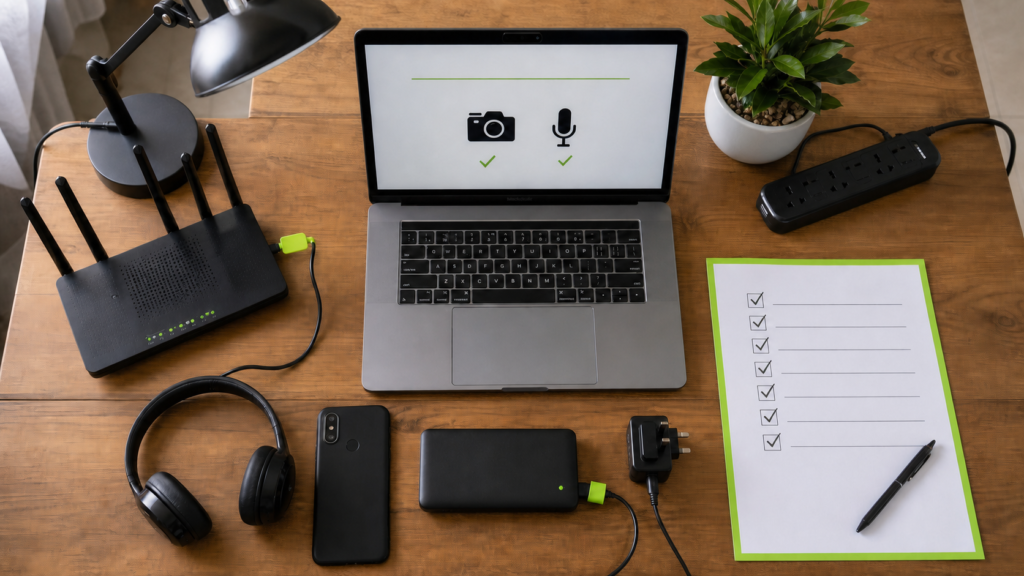
Open the camera app and confirm that your face is clear in normal room light. Clean the camera lens. Test the microphone by recording a short voice note. During a remotely watched examination, the school may record both audio and video for identity checks and exam security.
Run an internet speed test in the exact place where you plan to sit. Then test again at the same time of day as your examination. Network quality at 7am may be very different from 1pm. If your connection drops often, arrange a second network and load enough data on it before the test.
A backup does not mean switching networks every five minutes. It means having a working alternative ready if the main one fails. Keep the router or phone close enough for a strong signal, but follow your school’s rule on phones in the room.
Take the mandatory mock seriously
The Post UTME 2026 online exam mock is not a practice question session. Its main job is to test whether your computer, browser, camera, microphone and internet can work together under the school’s system. Treat it like a dress rehearsal.
Use the same laptop, chair, room, internet and power arrangement you plan to use for the main examination. Join early. Follow every permission request carefully. If anything fails, write down the error message and contact the official support team while there is still time.
Do not say, ‘It worked on my friend’s laptop, so mine should work.’ Na lie. The mock is there to test your own setup. Completing it is one of the cheapest ways to protect the admission you have worked for.
Prepare your room and exam conduct
Choose a quiet room with a plain, well-lit background. Put the laptop on a stable table. Remove notes, textbooks and any second device unless the university clearly permits them. Tell everyone at home not to enter during the test.
Dress in a way that allows clear identification. Sit where your full face remains visible. Do not keep looking away from the screen, talking to someone off camera or standing up without permission. A remotely watched test may flag movement or noise even when you had no bad intention.
Sort power early. Charge the laptop fully and keep the charger connected where electricity is steady. If NEPA is likely to play games, use an inverter, power station or another safe location with reliable power. Do not wait for the light to go before remembering that your laptop battery lasts twenty minutes.
Make a failure plan before test day
Write the university support email and phone numbers on paper. Save your registration number, payment receipt and screening printout in one folder. Take screenshots of successful installation and mock completion if the platform shows them.
If the system fails, stay calm. Note the exact time and error. Take a clear photo or screenshot if allowed. Contact the official support channel immediately and explain what happened in one short message. Include your full name, JAMB registration number and a useful screenshot.
Do not pay a random cybercafe operator who promises a special link. UNILAG has stated that it did not appoint any cybercafe, business centre or CBT centre to run its online test. Use only the portal and contacts published by your university.
After the exam, keep watching your admission
When the test ends, save any completion message and wait for the school’s official result or admission notice. Do not hand your login details to anyone who claims they can upgrade your score. Nobody needs your password to help you.
Admission processing later moves through JAMB CAPS. Our JAMB CAPS 2026 guide explains how to check your status and accept an offer. You can also read the official JAMB CAPS page to understand why the system is the final record of your admission.
If school fees will be your next concern, keep our NELFUND student loan guide nearby. Sort one stage at a time: pass the screening, confirm the admission, prepare your documents, then deal with funding.
At Delight Data Exploration, we help Nigerian students prepare, write and present their academic work with clear guidance and verified information. If you need help building a study plan now or academic support when school starts, contact our team.
For today, test your laptop, take the mock seriously and read your school’s instructions again. You have already done too much work to let one camera permission collect your admission.